


 TALLY PRIME ERP
 ZOHO ONE ERP
 VAYPAR
 ODOO ERP
 SAP Business One
 ORACLE NetSuite
 Biz Analyst
 CUSTOMISED POS SOFTWARES

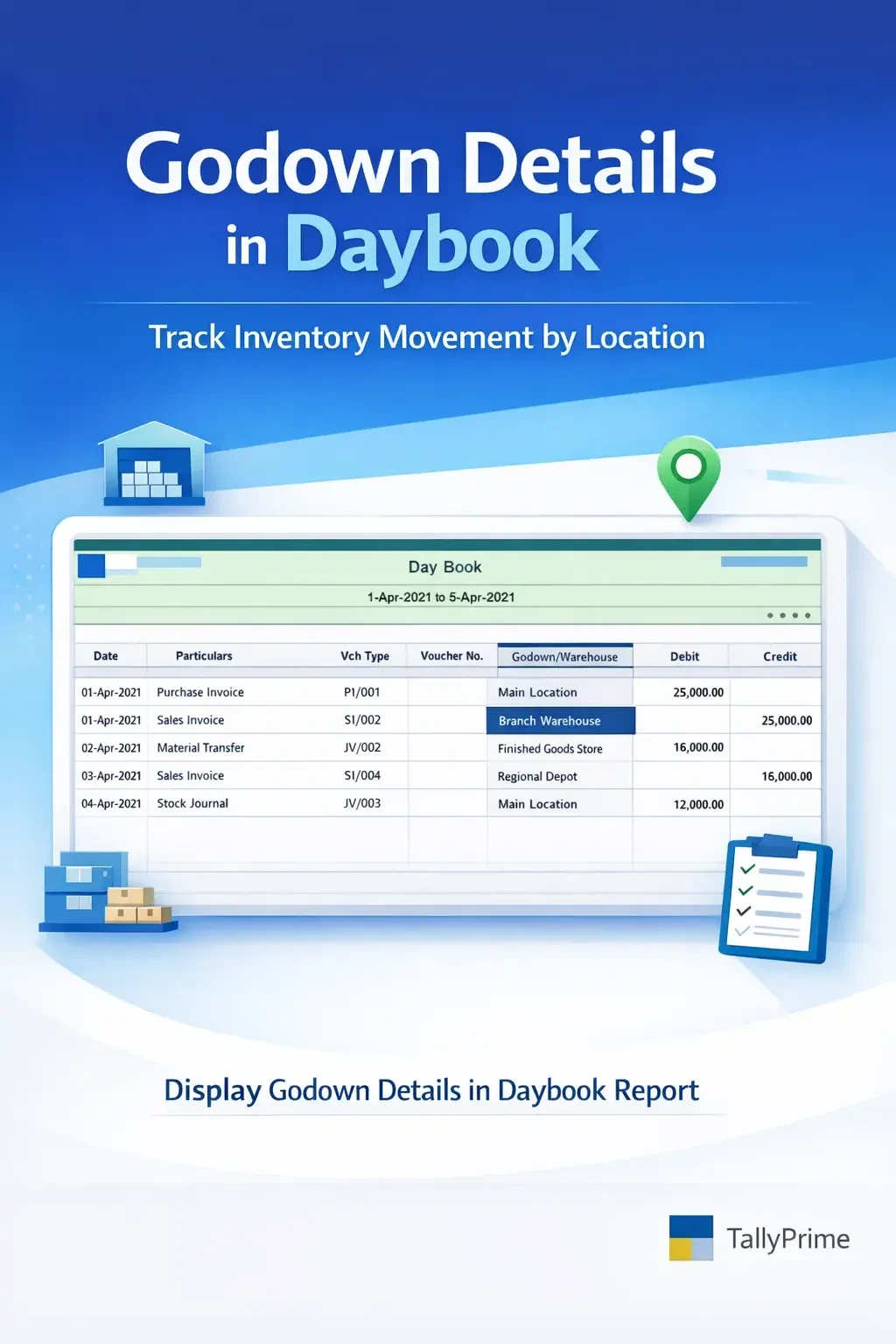
Display Godown details in Daybook Report
Display godown‑wise inventory details directly in the Daybook report in TallyPrime with Gitex Solutions add‑on. Improve stock tracking and inventory visibility.
Display Godown details in Daybook Report
Display godown‑wise inventory details directly in the Daybook report in TallyPrime with Gitex Solutions add‑on. Improve stock tracking and inventory visibility.
The Daybook report in TallyPrime provides a complete record of daily transactions including sales, purchases, receipts, payments, and journal entries. It is widely used by accountants for reviewing daily financial and inventory activities.
However, for businesses managing inventory across multiple godowns (warehouses), the default Daybook report does not always display godown-wise stock details directly within the report. This makes it difficult to track from which godown the stock was issued or received.
The Display Godown Details in Daybook Report Add‑on by Gitex Solutions enhances Tally reporting by showing godown information directly in the Daybook report.
With this add‑on, businesses can easily track inventory movement across locations, improving stock control and operational visibility.
This add‑on is a custom Tally module that enhances the Daybook report by adding godown (warehouse) details for each inventory transaction.
Normally, the Daybook shows Voucher Date, Type, Number, Ledger Name, and Amount. With this add‑on installed, it will also display.
Track stock movement across godowns in real-time.
Quickly verify inventory transactions from the Daybook itself.
Eliminates the need to open multiple reports or individual vouchers.
Helps businesses make better inventory and logistics decisions based on daily movement.
Businesses that manage stock in multiple locations often need to track where inventory is moving from and to on a daily basis. Without godown details in Daybook, users may face challenges such as:
Difficulty tracking stock movement by location in daily summaries The need to open individual vouchers to verify warehouse info Limited visibility in daily transaction reports Slower inventory verification and audit processes The Gitex Solutions Godown Details Add‑on solves this by displaying location-wise inventory details directly in the Daybook.
This add‑on is a custom Tally module that enhances the Daybook report by adding godown (warehouse) details for each inventory transaction.
Normally, the Daybook shows Voucher Date, Type, Number, Ledger Name, and Amount. With this add‑on installed, it will also display.
Add Your Review
Your email address will not be published. Required fields are marked *