


 TALLY PRIME ERP
 ZOHO ONE ERP
 VAYPAR
 ODOO ERP
 SAP Business One
 ORACLE NetSuite
 Biz Analyst
 CUSTOMISED POS SOFTWARES

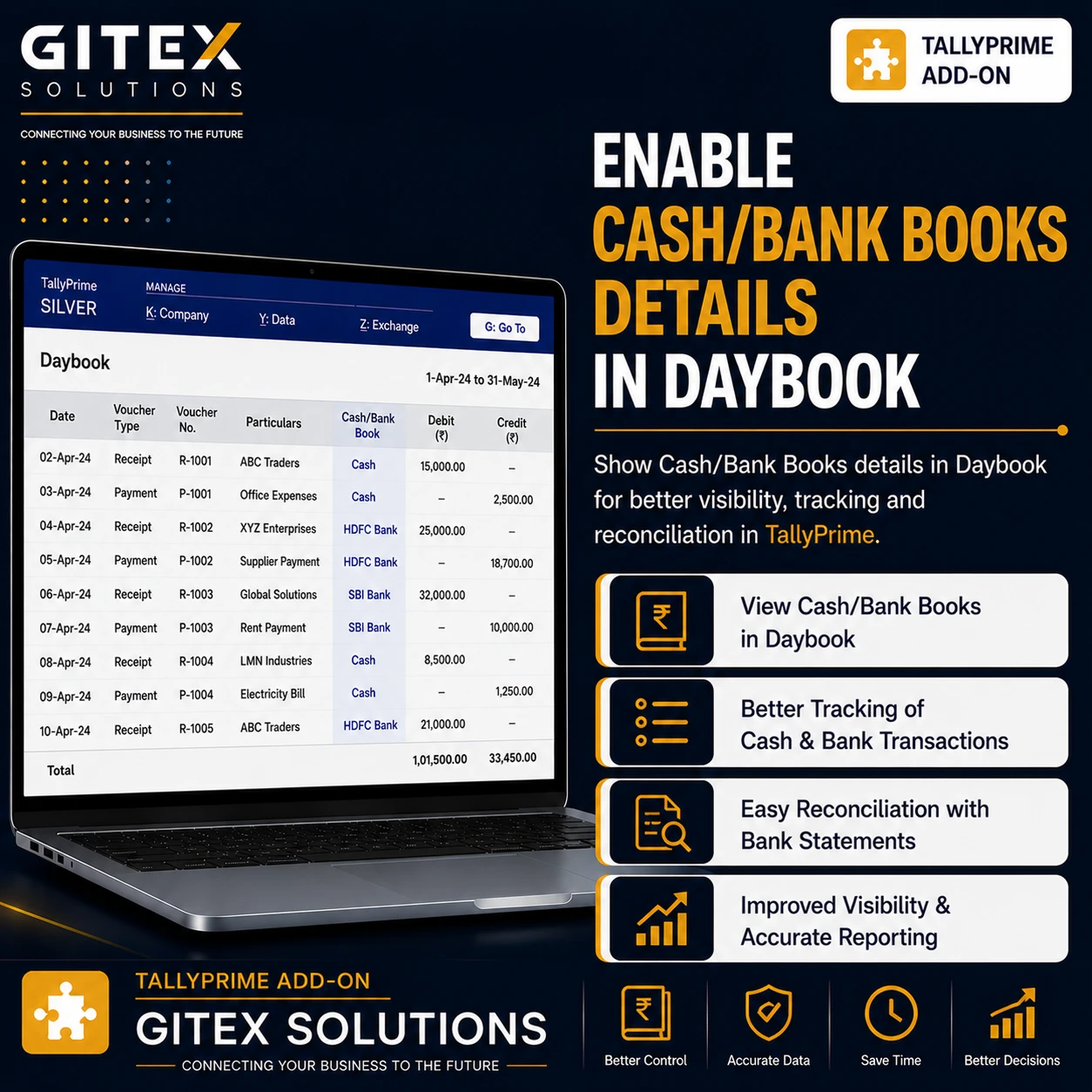
Enable Cash/Bank Books Details in Daybook
View cash and bank book transaction details directly in the Daybook report in TallyPrime with Gitex Solutions add‑on. Improve daily financial monitoring and reporting.
Enable Cash/Bank Books Details in Daybook
View cash and bank book transaction details directly in the Daybook report in TallyPrime with Gitex Solutions add‑on. Improve daily financial monitoring and reporting.
The Daybook report in TallyPrime is a comprehensive record of all daily accounting transactions including sales, purchases, receipts, payments, and journal entries. Accountants often use the Daybook to review and verify daily financial activity.
However, when businesses specifically need to analyze cash and bank transactions, users usually need to open separate Cash Book or Bank Book reports. This extra step can slow down financial review and transaction verification.
The Enable Cash/Bank Books Details in Daybook Add‑on developed by Gitex Solutions enhances the Daybook report by displaying cash and bank related details directly within the Daybook view.
With this add‑on, businesses can quickly identify and analyze cash and bank transactions without switching between multiple reports, improving accounting efficiency and financial transparency.
Businesses frequently review cash and bank transactions to monitor daily cash flow, payment processing, and bank activity. Without integrated information in the Daybook, accountants often need to:
Open separate Cash Book reports manually Switch between various Bank Book reports Manually analyze transaction details for verification This process can slow down accounting workflows. The Gitex Solutions Cash/Bank Details Add‑on solves this problem by showing cash and bank book related details directly inside the Daybook report.
Review all cash and bank transactions directly in the Daybook.
No need to open separate Cash Book and Bank Book reports repeatedly.
Accountants can verify daily financial transactions much more quickly.
Gain better visibility into daily cash and bank activity from a single screen.
Businesses frequently review cash and bank transactions to monitor daily cash flow, payment processing, and bank activity. Without integrated information in the Daybook, accountants often need to:
Open separate Cash Book reports manually Switch between various Bank Book reports Manually analyze transaction details for verification This process can slow down accounting workflows. The Gitex Solutions Cash/Bank Details Add‑on solves this problem by showing cash and bank book related details directly inside the Daybook report.
The Enable Cash/Bank Books Details in Daybook Add‑on developed by Gitex Solutions enhances the Daybook report by displaying cash and bank related details directly within the Daybook view.
Add Your Review
Your email address will not be published. Required fields are marked *