


 TALLY PRIME ERP
 ZOHO ONE ERP
 VAYPAR
 ODOO ERP
 SAP Business One
 ORACLE NetSuite
 Biz Analyst
 CUSTOMISED POS SOFTWARES

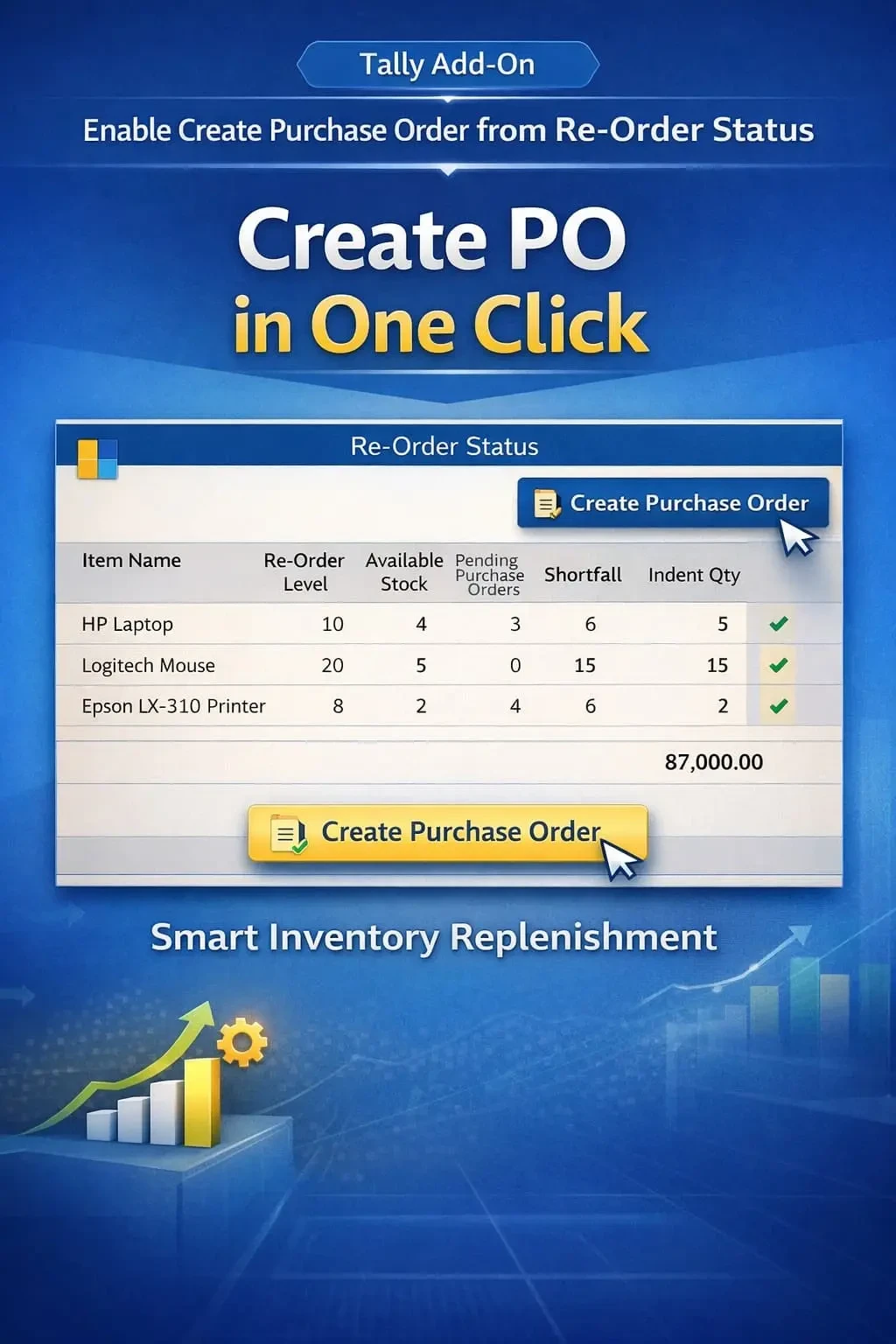
Enable Create Purchase Order from Re-Order Status
Display last and average purchase cost during sales voucher entry in TallyPrime with Gitex Solutions add‑on. Improve pricing decisions, avoid losses, and maximize profit.
Enable Create Purchase Order from Re-Order Status
Display last and average purchase cost during sales voucher entry in TallyPrime with Gitex Solutions add‑on. Improve pricing decisions, avoid losses, and maximize profit.
Efficient inventory management is critical for any business. One of the biggest challenges is ensuring that stock is replenished on time without manual tracking. In standard TallyPrime, you can view Re-order Status reports, but you cannot directly take action from that screen. This leads to:
The Enable Create Purchase Order from Re-Order Status Add‑on by Gitex Solutions solves this by allowing users to directly generate purchase orders from the re-order report screen in one click.
Writing down short-stock items and then entering them manually in a PO.
Delays in manual entry can lead to "Out of Stock" situations.
Mistakes in copying required quantities from the report to the voucher.
Hours wasted in stock analysis instead of actual purchasing.
Manual handling of re-order reports is a bottleneck for growing businesses. If you have 500+ items, checking each one and creating orders is impossible without errors. The Pragyantra Re-Order to PO Add‑on enables one-click purchase automation, ensuring that your most-selling products are always on your shelves.
Display last and average purchase cost during sales voucher entry in TallyPrime with Gitex Solutions add‑on. Improve pricing decisions, avoid losses, and maximize profit.
Add Your Review
Your email address will not be published. Required fields are marked *