


 TALLY PRIME ERP
 ZOHO ONE ERP
 VAYPAR
 ODOO ERP
 SAP Business One
 ORACLE NetSuite
 Biz Analyst
 CUSTOMISED POS SOFTWARES

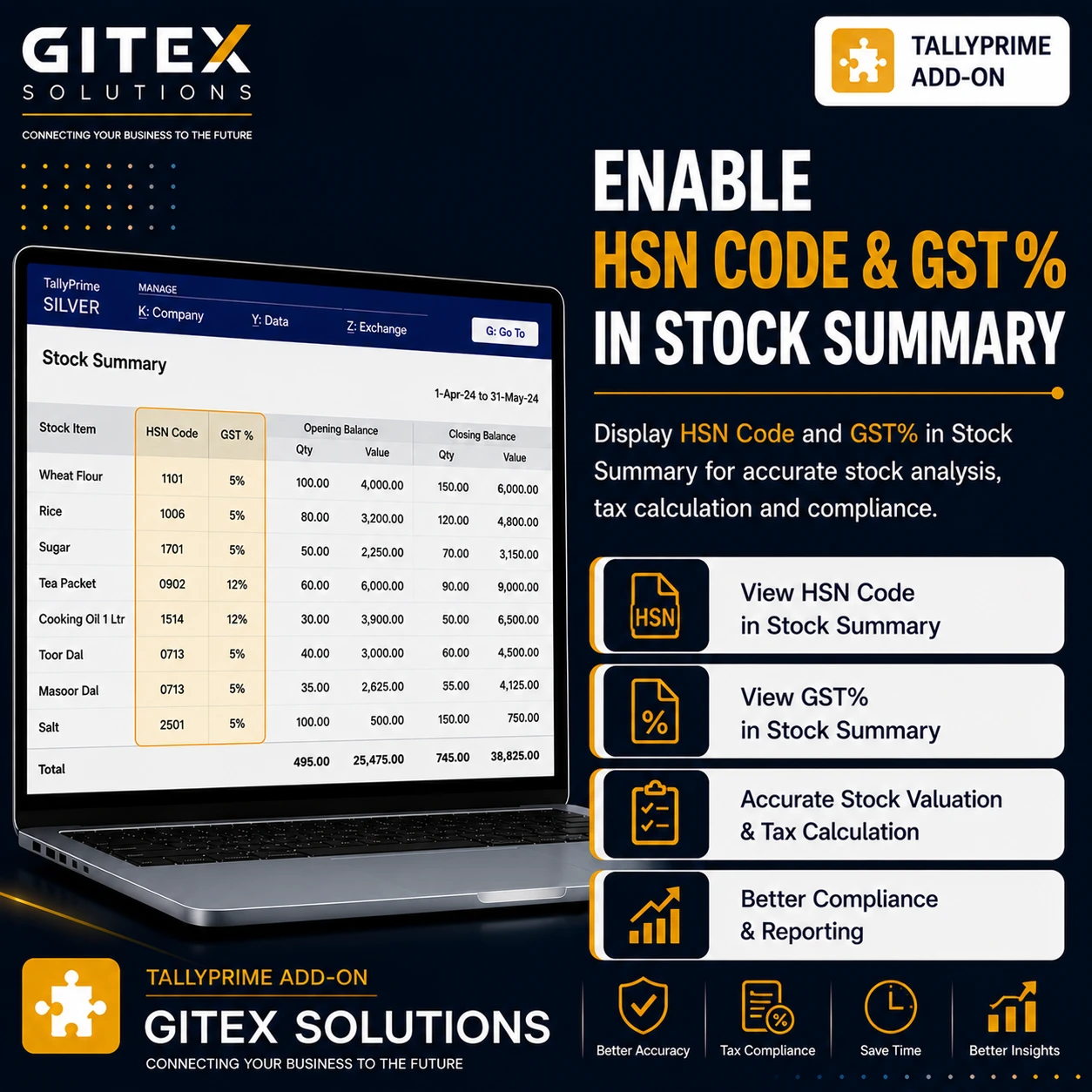
Enable HSN Code & GST% in Stock Summary
Display HSN codes and GST percentages directly in the Stock Summary report in TallyPrime with Gitex Solutions add‑on. Improve GST verification and inventory reporting.
Enable HSN Code & GST% in Stock Summary
Display HSN codes and GST percentages directly in the Stock Summary report in TallyPrime with Gitex Solutions add‑on. Improve GST verification and inventory reporting.
For GST‑registered businesses, HSN codes and GST percentages are essential for accurate tax reporting and compliance. Companies that manage inventory in TallyPrime often rely on the Stock Summary report to analyze item quantities, stock values, and inventory movement.
However, the default Stock Summary report in Tally mainly focuses on quantity and value details and may not always display HSN codes and GST percentage information directly within the report view.
The Enable HSN Code & GST% in Stock Summary Add‑on developed by Gitex Solutions enhances inventory reporting by displaying HSN codes and GST rates alongside items in the Stock Summary report.
With this add‑on, accountants and inventory managers can easily review tax classification and GST rates for inventory items, improving GST verification and compliance management.
The Enable HSN Code & GST% in Stock Summary Add‑on is a custom Tally module that enhances the Stock Summary report by adding columns for HSN Code and GST Percentage.
Normally, the Stock Summary report displays Item Name, Quantity, Stock Value, and Rate. With this add‑on installed, the report can also display:
HSN Code for each item GST percentage applied to the item Tax classification details directly in inventory reports This makes the Stock Summary report more useful for GST‑based inventory management and quick auditing.
Dealing with multiple items that have different GST tax slabs.
Where raw material and finished goods HSN codes must be monitored.
Where accurate inventory tax reporting is a legal requirement.
Performing inventory-based GST reconciliations for clients.
Businesses that maintain inventory under GST regulations must ensure that each item has the correct HSN classification and GST rate. Without this information in the Stock Summary report, users may face challenges such as:
Opening individual stock item masters to check tax rates Verifying GST classification manually for hundreds of items Exporting reports to external tools for tax analysis Difficulty in spotting tax rate errors in inventory The Gitex Solutions HSN & GST Stock Summary Add‑on solves this problem by showing vital tax data directly in the stock report view.
Display HSN codes and GST percentages directly in the Stock Summary report in TallyPrime with Gitex Solutions add‑on. Improve GST verification and inventory reporting.
Add Your Review
Your email address will not be published. Required fields are marked *