


 TALLY PRIME ERP
 ZOHO ONE ERP
 VAYPAR
 ODOO ERP
 SAP Business One
 ORACLE NetSuite
 Biz Analyst
 CUSTOMISED POS SOFTWARES

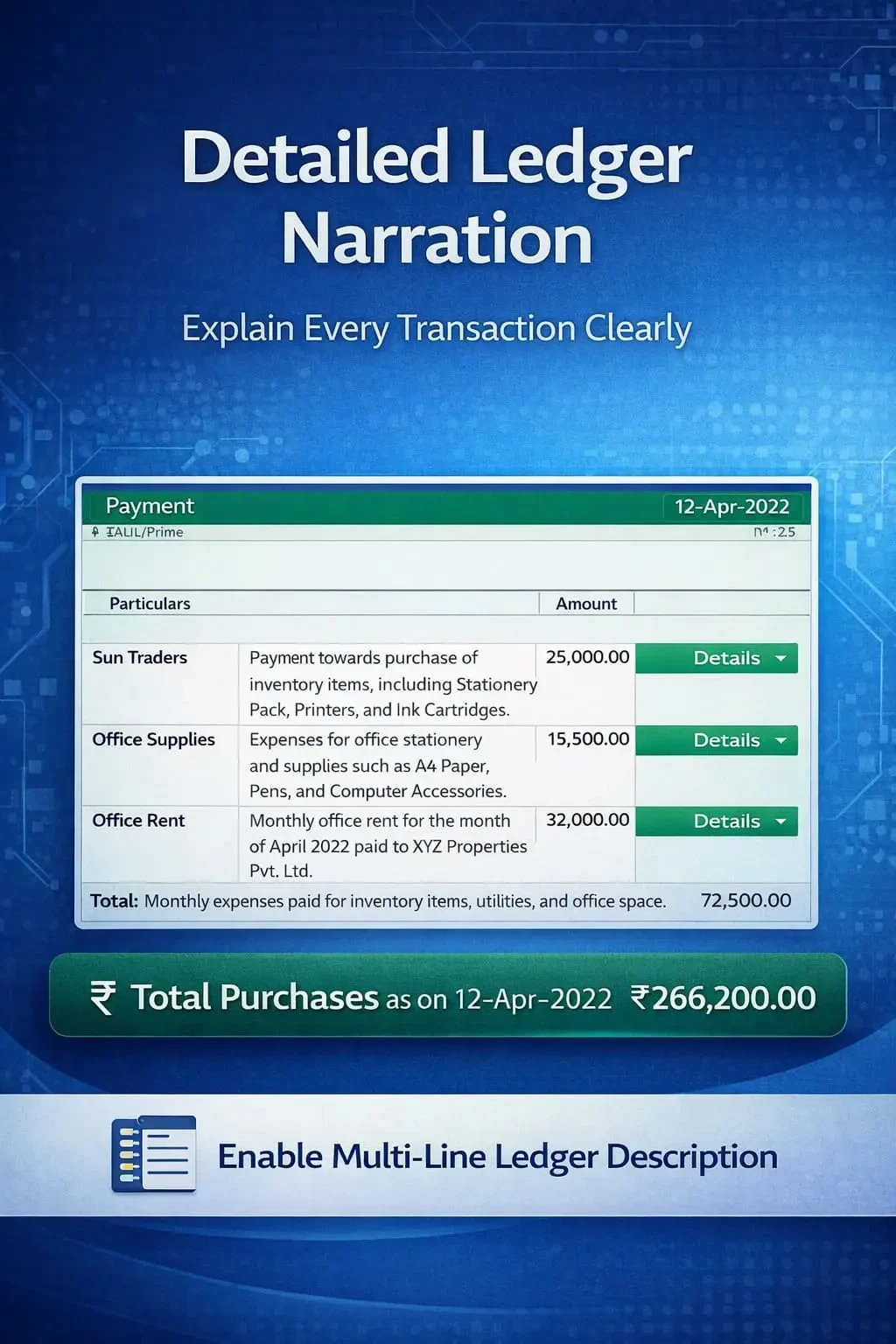
Enable Multi-Line Ledger Description
Add multi-line ledger descriptions in TallyPrime with Gitex Solutions add‑on. Improve accounting clarity, audit readiness, and financial documentation.
Enable Multi-Line Ledger Description
Add multi-line ledger descriptions in TallyPrime with Gitex Solutions add‑on. Improve accounting clarity, audit readiness, and financial documentation.
In accounting, ledger narrations and descriptions play a crucial role in maintaining clear financial records. However, in TallyPrime, ledger descriptions are often limited to short or single-line entries, which may not be sufficient for detailed transaction explanations. This limitation can lead to:
The Enable Multi-Line Ledger Description Add‑on by Gitex Solutions allows users to enter detailed, structured narrations for ledger entries, ensuring every transaction is professional and transparent.
Enter as much detail as needed for each ledger in a voucher.
Capture payment references, contract notes, or agreement terms instantly.
Display these extended descriptions in your Daybook and Ledger reports.
Include the full multi-line description in your printed vouchers and documents.
Short or cryptic descriptions create confusion over time. If you look at an entry after 6 months, a single-line note might not be enough to remember why a particular adjustment was made. The Gitex Solutions Multi-Line Description Add‑on ensures structured record-keeping, making your financial data self-explanatory and audit-ready.
Add multi-line ledger descriptions in TallyPrime with Gitex Solutions add‑on. Improve accounting clarity, audit readiness, and financial documentation.
Add Your Review
Your email address will not be published. Required fields are marked *